
How to enter your discount code – saved in seconds
You received a discount code and don't know exactly where to enter it? No problem. This happens to many – and the solution is simpler than you think. In this article we show you step by step how to redeem your code and immediately benefit from your discount.
Where do you find the input field for your code?
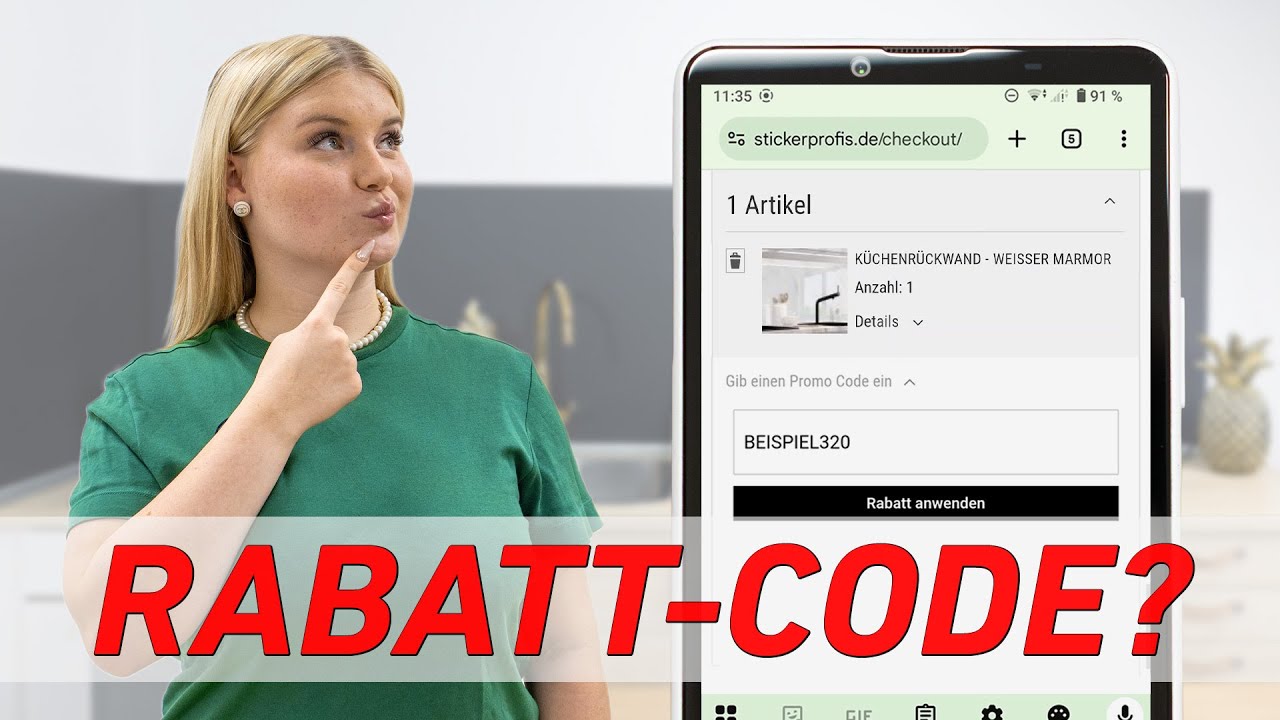
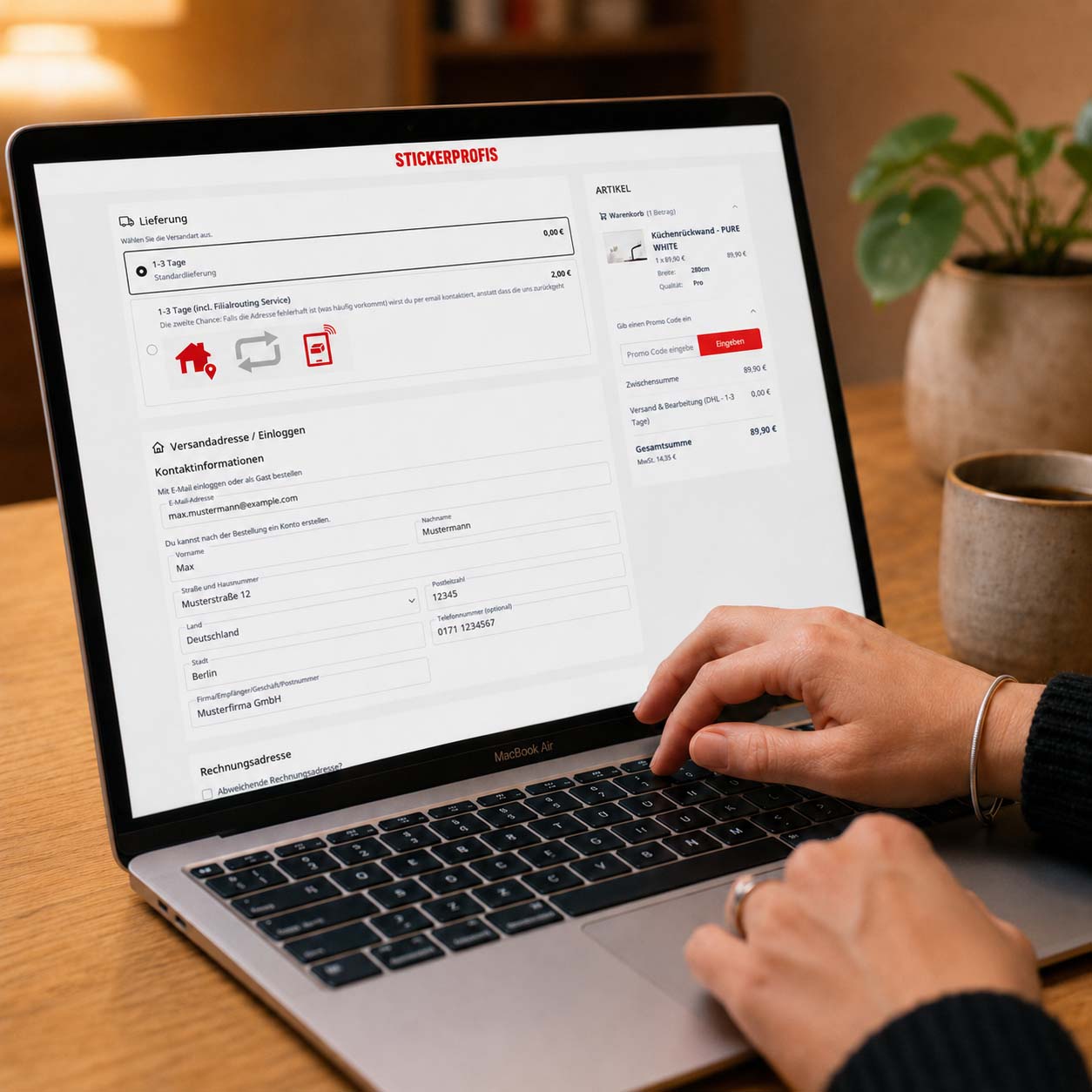
Sometimes the input field for the discount code is not immediately visible at first glance. Don't worry – you're not far from it. The field is located in the cart or at checkout, directly below your order overview – at the very bottom, above the "Order with obligation to pay" button.
Just scroll down a bit and you'll see the line: "Enter the promo code." That's exactly where you enter your code.
Step by step: How to redeem your discount code
The process is very easy. Just follow these steps:
Step 1: Open cart or checkout
Add your desired items to the cart and go to checkout. The input field for your code appears on this page – scroll down until you see it.
Step 2: Enter code
Click in the field with the note "Enter the promo code" and type in your discount code. Pay attention to the exact spelling – upper and lower case letters can make a difference.
Step 3: Click "Apply discount"
Once you've entered your code, click the button "Apply discount". Your discount is applied immediately – you see the savings directly in your order overview.
Step 4: Enter a second code (optional)
You even have two discount codes? Then repeat the process: Enter the second code in the same field and click "Apply discount" again. Both discounts are combined without any problems.
Step 5: Complete the order
Your codes are redeemed, the savings are visible. Now you can complete your order at ease.
Why is my code not accepted?
Sometimes it happens that a code doesn't work. Here are the most common causes – and how to fix them:
- Typo: Check upper and lower case as well as special characters. Best to copy the code directly from the email or message in which you received it.
- Expired code: Discount codes are often time-limited. Check whether your code is still valid.
- Minimum order value not reached: Some codes only apply from a certain order value. Check the conditions of your code.
- Code already used: Some codes can only be redeemed once. Have you perhaps already used it in a previous order?
If you're unsure, just contact our customer service. We'll be happy to help you.
Your discount is applied immediately
The best part? You don't have to wait long. As soon as you've clicked "Apply discount", your code is applied in real time. The new total amount appears directly in your order overview – transparent and clear.
No waiting, no surprises. You see exactly how much you save before completing the order.
Ready to save?
You now have everything you need to successfully redeem your discount code. Go to your cart, enter your code and secure your discount – it takes less than a minute. Don't have a code yet but want to benefit from exclusive offers? Sign up for our newsletter and never miss an offer again.